Affiliate Disclosure: This site contains affiliate links. We may earn commission at no extra cost to you.
CrushOn AI Character Creation Guide 2026: Build Better AI Characters
Character creation is available to all CrushOn AI users at no cost — free, Standard, Premium, and Deluxe subscribers all have equal access to the character builder. The quality of your character depends almost entirely on the quality of your input specifications. Vague character descriptions produce inconsistent AI responses. Detailed, specific character definitions produce characters that behave coherently across dozens of conversations.
This guide provides a systematic approach to character creation: the exact fields to complete, what to include in each, and the principles that separate memorable characters from generic ones.
For model selection that affects how your character performs, see our AI models comparison guide.
Understanding Character Cards
A character card is the foundational document that defines your AI character. Every response the AI generates for that character is influenced by what you specify in the character card. Think of it as the character's operating manual — the more specific and well-structured it is, the more consistently the AI will embody the persona you envision.
The character card includes:
- Name — the character's identifier
- Personality traits — behavioral and temperament descriptors
- Backstory — origin, history, context
- Dialogue style — how the character speaks and communicates
- Scenario/context — the situation framing interactions
- Greeting message — the character's opening line to users
Each field contributes to character consistency. Missing or thin fields create gaps the AI fills with generic defaults, which produces unpredictable behavior.
Step-by-Step Character Creation
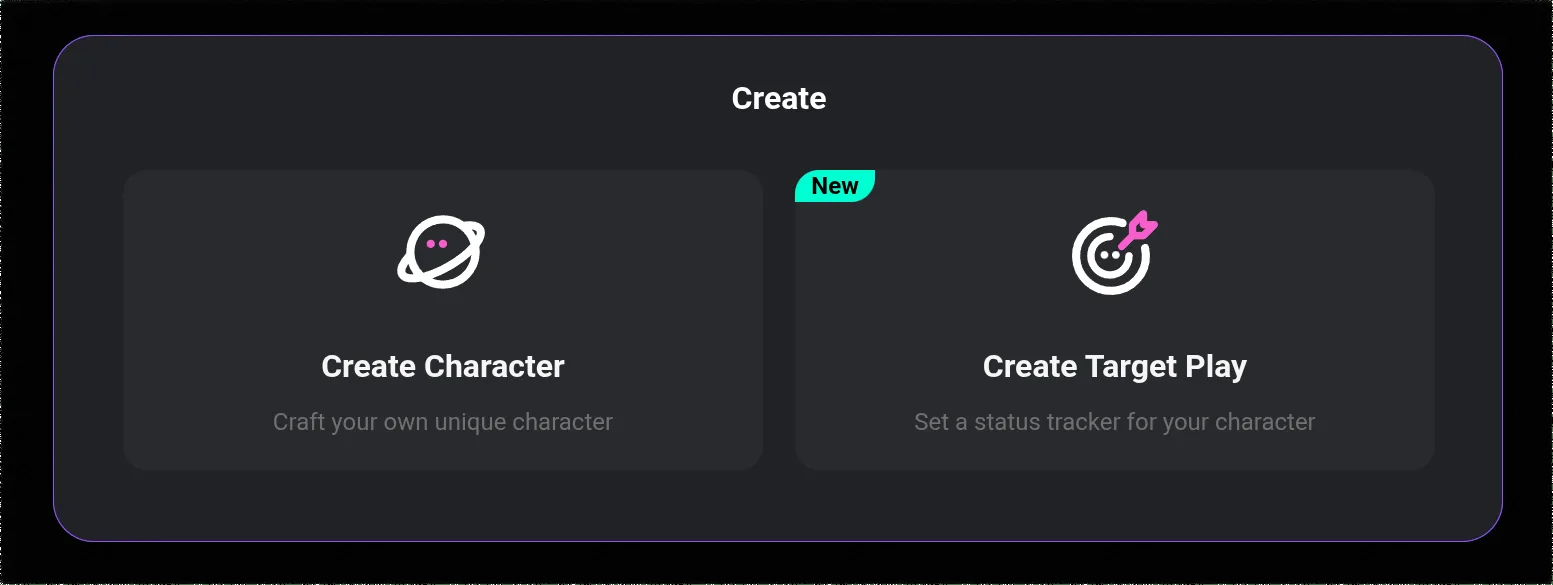
Step 1: Access the Character Creation Interface
Log into your CrushOn AI account. In the left sidebar navigation, find the option to create a new character. The character creation template will load — you will see input fields for each element of the character card.
Step 2: Set the Character Name
Choose a name that fits the character's concept. The name can be:
- A realistic human name for relationship simulation characters
- A fantasy or fictional name for world-building characters
- A role-based identifier (e.g., "The Detective," "Knight Commander") for scenario-based characters
The name appears in conversation headers and affects the AI's self-reference behavior — the character will refer to itself by this name in third-person descriptions.
Step 3: Define Personality Traits
This is the highest-impact field. Use 4-6 specific, concrete personality traits. Generic traits produce generic characters.
Less effective (vague):
- Kind
- Smart
- Funny
More effective (specific):
- Sarcastic wit with a soft center — deflects emotional conversations with humor but genuinely cares
- Academically brilliant but socially awkward — formulates thoughts carefully before speaking
- Fiercely loyal to close friends, cold to strangers until trust is established
The specificity of trait descriptions directly correlates with character consistency. When traits describe behavior patterns rather than adjectives, the AI has clearer guidance for generating appropriate responses.
Step 4: Write the Character Backstory
The backstory provides context that shapes how the character interprets and responds to situations. Effective backstories include:
- Origin context: Where did the character grow up? What shaped their early life?
- Formative experiences: What significant events define their personality?
- Current situation: What is the character's life like when they meet the user?
- Motivations: What does the character want? What do they fear?
A 150-300 word backstory provides sufficient context without overwhelming the model's context processing. For complex characters, you can include more detail, but prioritize specificity over length.
Step 5: Define Dialogue Style
Dialogue style tells the AI how the character communicates. Specify:
- Tone: Formal, casual, playful, serious, blunt, circumspect
- Vocabulary level: Simple and direct vs. elaborate and literary
- Speech patterns: Does the character use specific phrases, hesitations, or verbal tics?
- Emotional expressiveness: Does the character state feelings directly or use subtext?
- Response length preference: Brief and punchy vs. thoughtful and elaborated
Example: "Speaks in short, direct sentences. Avoids small talk. Uses dry humor delivered deadpan. Rarely asks questions — makes statements and lets others respond. Occasional profanity when genuinely surprised."
Step 6: Set the Scenario Context
The scenario field defines the situational framing for conversations. This is particularly important for roleplay characters. Specify:
- The setting (time period, location, world context)
- The relationship between the character and the user
- The situation when they first meet
- Any relevant rules of the world or relationship dynamic
Step 7: Write the Greeting Message
The greeting message is the character's first line to every user who starts a conversation. It is also a demonstration of the character's voice — how it reads sets expectations for the entire conversation.
Weak greeting: "Hello! I'm [Name]. Nice to meet you."
Strong greeting: "You're late. I've been waiting in this rain for twenty minutes — but I suppose I knew you'd come eventually. Come in before we both catch pneumonia."
The greeting should embody the personality you defined. If your character is sarcastic, the greeting should be sarcastic. If they are formal, the greeting should be formal.
Ready to try CrushOn AI?
Visit CrushOn AICharacter Types and Templates
CrushOn AI's character library spans several major archetypes. Understanding which archetype your character fits helps define its card effectively:
Romantic/Companion Characters
Focus on emotional availability, personal warmth, relationship history, and how the character expresses affection. Define whether they are open or guarded with emotions. Specify what they find attractive or meaningful in a companion.
Roleplay/Scenario Characters
Define the world clearly. Establish the power dynamics, the stakes of the scenario, and what motivates each party. Rules and constraints of the scenario should be explicit.
Anime-Style Characters
Anime character conventions (tsundere, kuudere, yandere, etc.) provide shorthand personality templates the AI recognizes. You can name the archetype in the personality field and the model will apply associated behavioral patterns.
Fantasy/Historical Characters
Define the time period, social structure, and world rules that constrain the character's behavior and knowledge. A medieval knight should not reference modern technology — specify these boundaries explicitly.
Advanced Character Optimization
Using the Memory Feature
For users on Standard tier and above, the conversation memory feature helps characters remember information from past interactions. Important facts about the user that the character should retain can be stated during conversation and will influence future sessions.
Testing and Iteration
Create a character, have a short test conversation, identify inconsistencies, and return to edit the character card. Character creation is iterative — most successful public characters went through multiple revisions before publication.
Publishing vs. Private Characters
Characters can be kept private or published to the public library. Published characters become accessible to all 3M+ monthly active users. If publishing, consider adding a clear character description and appropriate content tags — this affects discoverability and sets user expectations.
Character Cards and Image Generation
If you intend to use image generation features with your character, the character card's visual description influences generated images. Include a specific physical appearance description if visual consistency matters for your use case. See our image generation guide for prompt optimization.
Frequently Asked Questions
Yes. All CrushOn AI users including free tier subscribers can create custom characters at no additional cost. Character creation does not consume messages or coins.
Yes. Characters can be edited after creation. Changes take effect in new conversations — existing conversation threads retain the character state from when they were started.
CrushOn AI does not publish a specific per-account character creation limit. The platform supports a large volume of community-created characters (500,000+), indicating no restrictive per-user caps.
Inconsistency most commonly results from vague personality trait descriptions or missing backstory context. Review your character card for specificity — replace adjectives with behavioral descriptions, add context that explains why the character behaves as they do, and include explicit dialogue style guidance.
CrushOn AI's terms of service restrict creation of characters that impersonate real people in harmful or misleading ways. Characters inspired by public figures or fictional characters from other media are common in the community library, but creating a character specifically to deceive users into believing they are talking to a real person is prohibited.
Not automatically. Character behavior is determined by the character card at conversation initiation plus the conversation memory (on paid tiers). To improve a character's responses, edit the character card based on observed inconsistencies. The AI does not learn from conversations to update the character card automatically.